 Bulky Buddy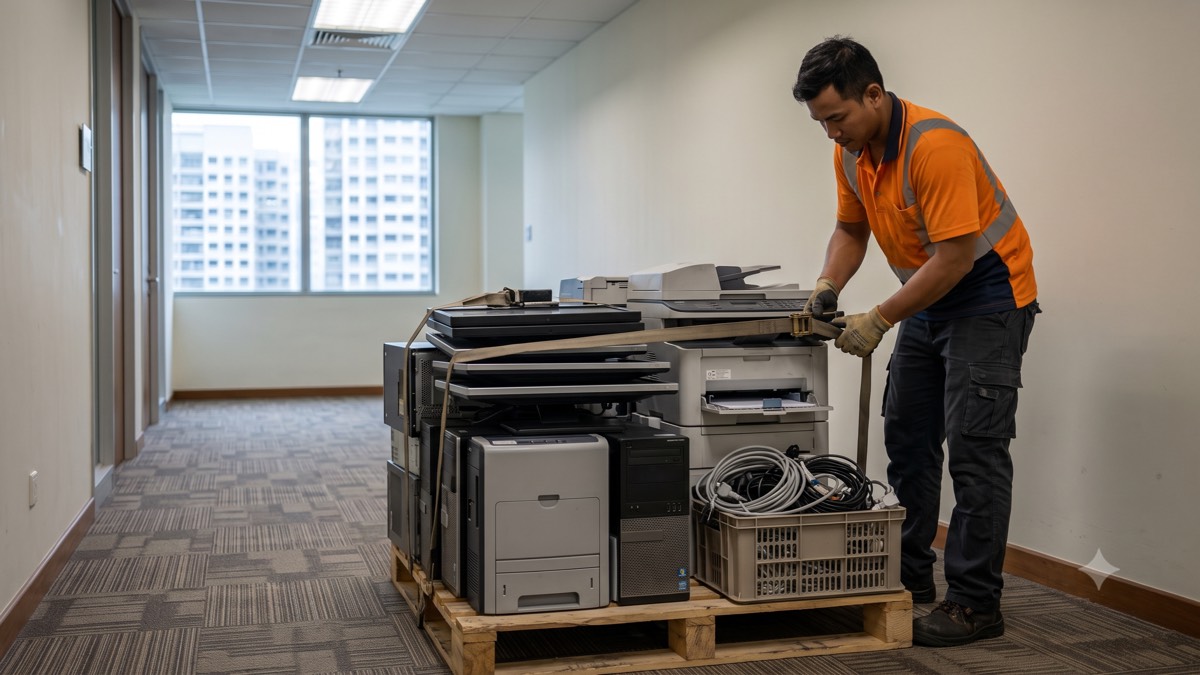
Every office clear-out ends up with a corner of dead electronics — old PCs nobody's used since the last refresh, a printer that jams more than it prints, monitors from three desk configurations ago. It's tempting to lump it in with the general furniture and forget about it. Don't. E-waste is a separately regulated waste stream in Singapore, and offices are squarely covered by the rules, not just households.
Here's what actually counts as e-waste, where it's legally required to go, the honest answer on data security, and why it's usually simplest to have it collected in the same job as the rest of your clearance.
This comes up constantly during office moves, downsizing, and IT refreshes — a batch of five-year-old desktops gets swapped for laptops, a print fleet gets consolidated, and suddenly there's a stack of dead electronics with nowhere obvious to go. Facilities and IT teams often end up splitting responsibility for it without ever quite deciding whose job it actually is. It's worth deciding upfront, because "we'll sort it out later" is how e-waste ends up sitting in a store room for a year, or worse, going out with the general rubbish by mistake.
Got a pile of old PCs, monitors and printers? Send photos and we'll fold it into your clearance quote.
Get an e-waste quoteWhat counts as office e-waste
Office e-waste covers more than the obvious desktop tower. The usual list:
- Computers and laptops — including ones sitting in a drawer "in case they're needed"
- Monitors and screens — CRT or flat panel, both count
- Printers, copiers and multi-function devices — often the heaviest single items in the pile
- Servers and networking gear — switches, routers, patch panels
- UPS units — with batteries inside, which is its own regulated stream
- Phones, handsets and small peripherals — keyboards, mice, cabling in bulk
- Projectors and AV equipment — meeting-room gear counts too
If it plugs in and has a circuit board, treat it as e-waste rather than general disposal until you've confirmed otherwise.
Where it legally has to go (licensed channels, never the bin)
Singapore regulates e-waste under its national e-waste management framework, which requires regulated electronic and electrical equipment to be collected and processed through licensed operators rather than thrown out with general rubbish. That applies whether the equipment belongs to a household or a company — there's no separate carve-out that lets an office skip the rules because the volume is bigger. General bulky-item disposal, whether through a town council collection or a private disposer, is a different channel from e-waste, and mixing the two isn't just sloppy — it's the exact thing the licensed-channel requirement exists to prevent.
In practice this means the loading bay skip or the general disposal lorry isn't the right place for a pallet of dead monitors, even if it would technically fit. It also means "our cleaner will throw it out eventually" isn't a compliant plan, whatever the volume. If you're not sure whether something in the pile counts, the safe default is to treat it as e-waste and flag it separately rather than assume it's fine to bin.
Insider tip: if your IT asset register tracks serial numbers, note down what's leaving before collection day. It's a five-minute job while everything's still on your premises and saves a scramble later if anyone asks what happened to a specific unit.
Data security: drives before disposal
This is the part offices worry about most, and the honest answer matters more than a reassuring one. We are not a certified data-destruction service, and we're not going to claim otherwise. If data security is a real concern for your business — and for most offices with client records or business systems on old machines, it should be — the safest move is for your own IT team to remove and retain the hard drives before the machines leave the building, and deal with wiping or physical destruction separately, through your own vendor if your compliance needs a formal certificate.
If you'd rather not handle that yourselves, ask us and we'll talk through what removing the drives actually involves — it's usually a few screws per machine, not a specialist job. What we can promise is that the equipment goes to licensed e-waste processors once it leaves; what we won't promise is a data-destruction certificate we're not equipped to issue. If that paperwork is a hard requirement for your business, source it from a specialised data-destruction vendor and treat the physical disposal as a separate, later step.
Collect it with the furniture, one job
For most offices, the simplest approach is to have e-waste picked up in the same visit as the general furniture clearance, rather than running two separate vendors and two separate schedules. One crew, one WhatsApp thread, everything sorted into the right stream on the day — general furniture into disposal, PCs and monitors into e-waste routing, and anything reusable flagged separately. It also means you're not paying for two site visits or coordinating two different companies around your building's access rules.
The alternative — booking a specialist e-waste vendor separately from your general clearance — can make sense for a very large IT refresh with hundreds of units and its own asset-disposal requirements. But for the ordinary office clear-out with a dozen old PCs and a couple of dead printers mixed in with the desks and chairs, splitting it into two jobs usually just means twice the coordination for no real benefit. Mention the e-waste when you send photos of the space and let one crew handle both.
One job is simpler than two. Send photos of the furniture and the e-waste together.
Get an e-waste quoteTell us roughly how many PCs, monitors, printers and any servers or networking gear you're clearing alongside the furniture, and whether the drives will already be removed. We'll fold it into one fixed quote and one scheduled visit — no separate e-waste vendor to chase.